
Version: 10.18.8
Release date: 9/09/2026
Bug Fixes
Fixed validation when creating candidates manually
When manually creating a candidate and selecting Job board as the source, a secondary mandatory field requires the specific job board to be selected.
Previously, the mandatory field was not being validated correctly, allowing candidates to be created without complete profiles. These candidates could then not be found in the system.
Validation has been updated to ensure the specific job board is selected before the candidate form can be submitted.
Version: 10.18.7
Release date: 17/08/2026
Improvements
Resume access from Hiring stage
Clicking the resume icon on candidates in the new Hiring stage will now open the Quick view drawer and display the candidate's resume.
Security improvements
Implemented security improvements identified as part of our routine security audit.
Bug Fixes
Removed unused team tags from filters
Team tags that were no longer assigned to any candidates were still appearing in the filter dropdown. Tags with no candidate connections will no longer appear in this list.
Pipeline child job count
Fixed a bug causing an incorrect count of available candidates for pipeline child jobs when one of the category filters was non-mandatory.
Version: 10.18.6
Release date: 11/08/2026
Improvements
Custom filter selections persist
On the new Hiring stage, custom filter selections will now persist after they have been edited. Users with a list of custom columns can navigate away from the page and return later without losing their selections.
Selections will not persist across tabs and are limited to 20 jobs per user. Once this limit is reached, the oldest saved view will revert to the default view.
Clearer AI-generated field names
Renamed system fields related to the AI Hub app to make it clearer that the information stored in these fields was generated by AI.
Security improvements
Implemented security improvements identified as part of our routine security audit.
Bug Fixes
Fixed hosted document links
Fixed an error where some hosted links were being unnecessarily encoded, causing an error when users clicked the link to view the document.
Version: 10.18.5
Release date: 05/08/2026
Improvements
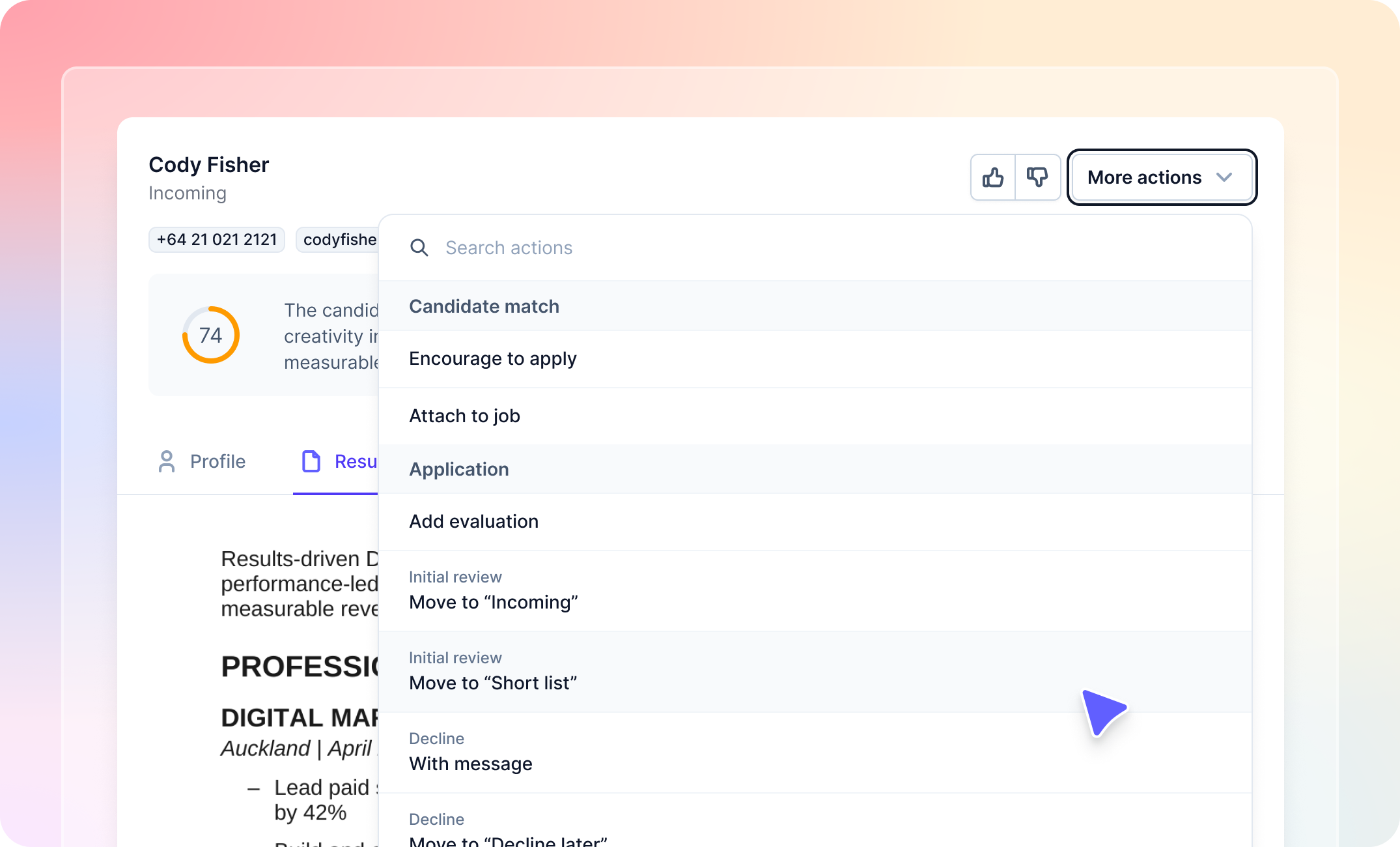
More actions dropdown added to quick view
A new More actions dropdown has been added to the quick view, allowing users to raise any action that is normally available on the application they are currently viewing. The dropdown also includes a search box, making it easier to quickly find the required action.
Expanded quick action options
The range of actions available as quick actions has been expanded to include actions that send emails or contain visible fields.
- If the selected action does not send an email or contain any visible fields, it will be submitted automatically when the thumbs up or thumbs down option is used.
- If the selected action sends an email or contains visible fields, the action form will instead be presented to the user to complete and submit manually.
Improved quick action setup instruction text
Updated the instructional text on the Manage quick actions admin page to provide more helpful, context-sensitive information based on the options the user has selected.
Visual improvements
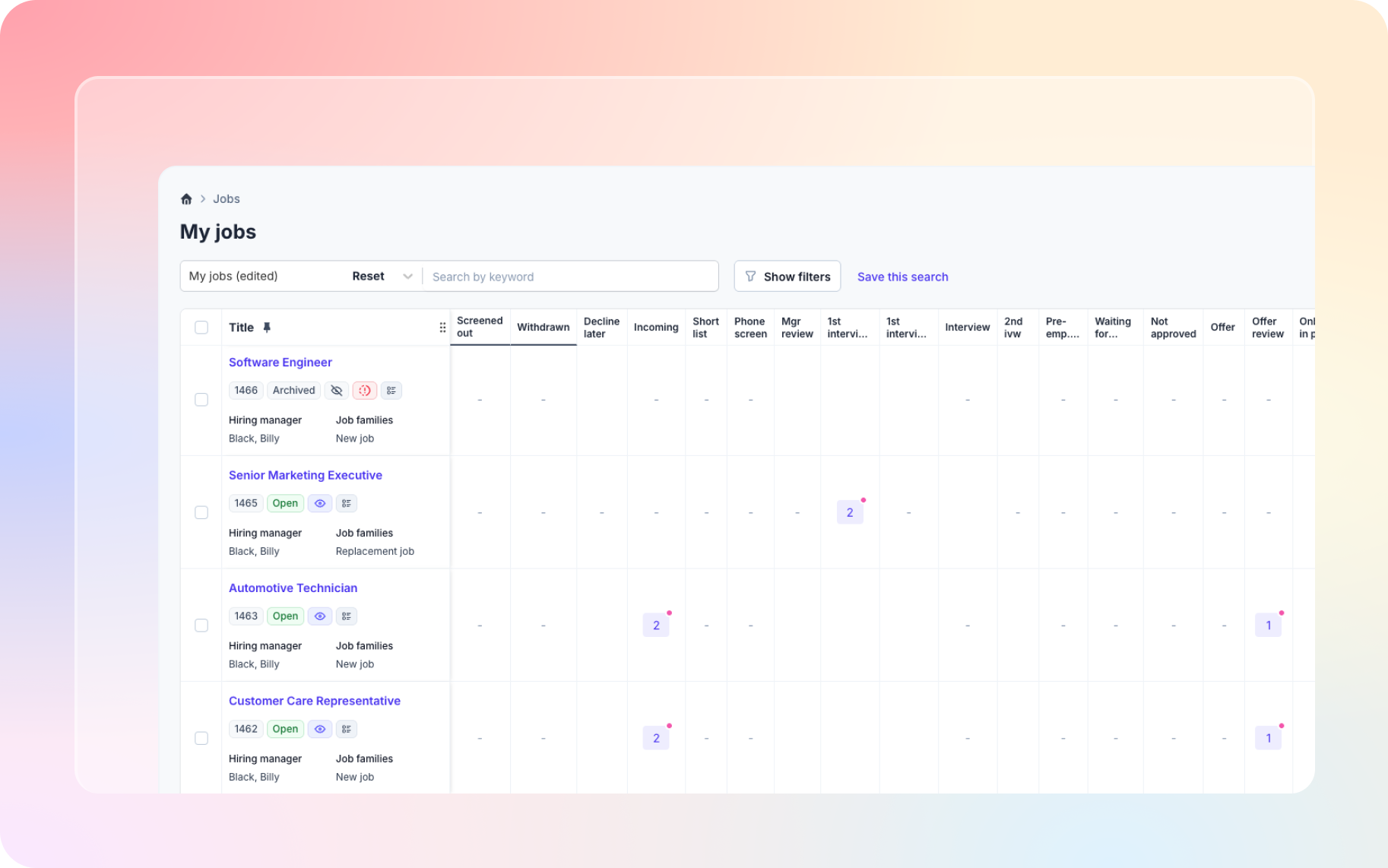
Made visual improvements to the new pages currently available to preview, including the Jobs list and Hiring stage.
Version: 10.18.4
Release date: 03/08/2026
Improvements
Security enhancement
Implemented changes to support a platform security update.
Bulk print PDF
Updated bulk print PDFs to no longer include answers to registration questions that have been deleted. Historical answers will still be visible at the bottom of the candidate details page, but they will no longer be included in bulk print PDFs.
Version: 10.18.3
Release date: 27/07/2026
Improvements
Quick view enhancements
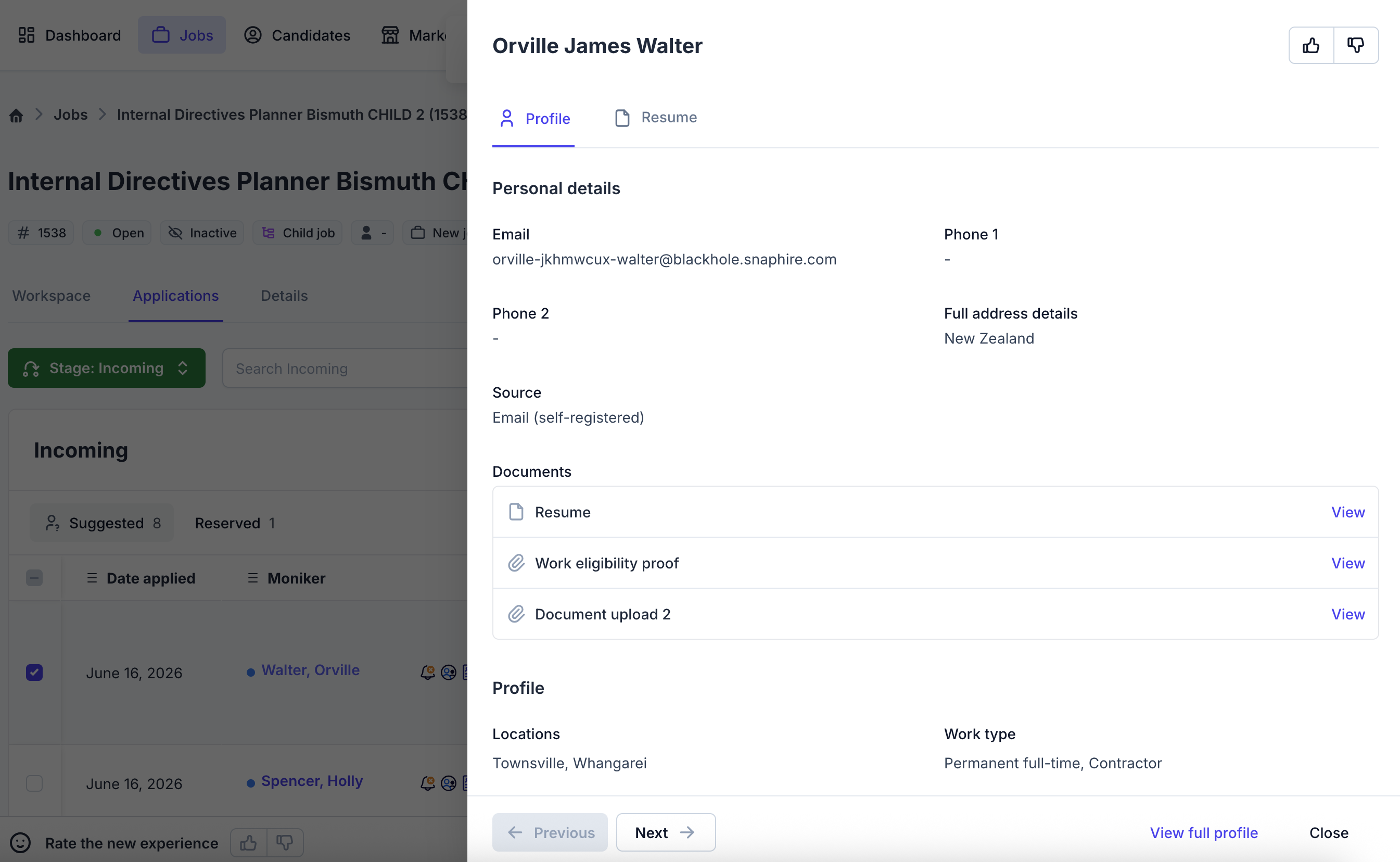
The quick view has been visually updated to make information easier to scan, while also introducing additional ways to add fields and documents to the drawer. Highlighted fields will now be displayed, along with any fields added to the bucket view, whether configured via the admin page or added on the fly using the "Edit columns" dropdown.
Quick view history tab
Added a history tab to the quick view drawer, providing quick access to the history of the application currently being viewed.
Expanded quick action setup
The "Manage quick actions" setup page now displays actions based on their workflow mapping, allowing a wider range of actions to be selected when configuring quick actions for a particular workflow.
Bug Fixes
Quick actions permission fix
Fixed a bug that caused a blank dropdown to appear in the "Manage quick actions" admin screen due to an incorrectly checked permission.
Version: 10.18.2
Release date: 16/07/2026
Improvements
Improved display of long field names
Field names in the "Edit columns" dropdown are now truncated after a set length to prevent long field names from causing the dropdown to become too wide. The full field name can be viewed in a tooltip by hovering over the truncated name.
Improved action drawer display
Improved the appearance of the action drawer when there are no visible fields. The drawer will now collapse to a smaller window when there are no fields to display.
Bug Fixes
Default job saved search display
Fixed a visual issue where a new default job saved search created from the jobs list was not correctly reflected on the user's account tab.
Position description placeholder links
Fixed a double-encoding issue affecting the position description field that caused an error when attempting to view a document from a placeholder link.
Mandatory document upload fields
Fixed an issue where mandatory upload fields displayed an error when attempting to delete and replace a document but did not provide a link to select a new document. The error message has also been improved.
Attach and create errors
Fixed an issue where users without the "Can manage advertising tracking codes" permission could not access the list of source options when attaching a candidate to a job or creating a new candidate, preventing them from completing the process. Access to the source list no longer checks for this permission.
Job-specific question answers
Fixed an issue where answers to job-specific questions were not correctly saved against the application when a user manually created a new candidate directly on a job.
Version: 10.18.1
Release date: 13/07/2026
Improvements
Improved SnapHire sign-in screens
Updated the visual design of the SnapHire sign-in screens to better meet accessibility standards.
Front-facing camera preview
When recording a video using the front-facing camera, the preview will now display a mirrored image. This better matches the behaviour of native camera applications, providing a more natural recording experience.
Updated tooltip styling
Made minor visual improvements to tooltips on the new jobs list to better align with the rest of the SnapHire interface.
Category images in quick view
Images associated with category values will now be displayed alongside the category value in the new quick view. Large images are also automatically resized to ensure they display consistently within the available space.
Hiring stage column selection
Removed obsolete system options from the "Edit columns" dropdown in the hiring stage that were no longer relevant.
Quick view document loading improvements
Added a Retry button when a document fails to load in quick view. Additional logging has also been introduced to assist with investigating document loading issues.
Bug Fixes
Quick search
Fixed an issue where quick search could incorrectly fall back to a legacy search engine, causing some searches, particularly those containing special characters, to return incorrect or incomplete results.
Version: 10.18.0
Release date: 24/06/2026
Improvements
Quick Actions for hiring stages
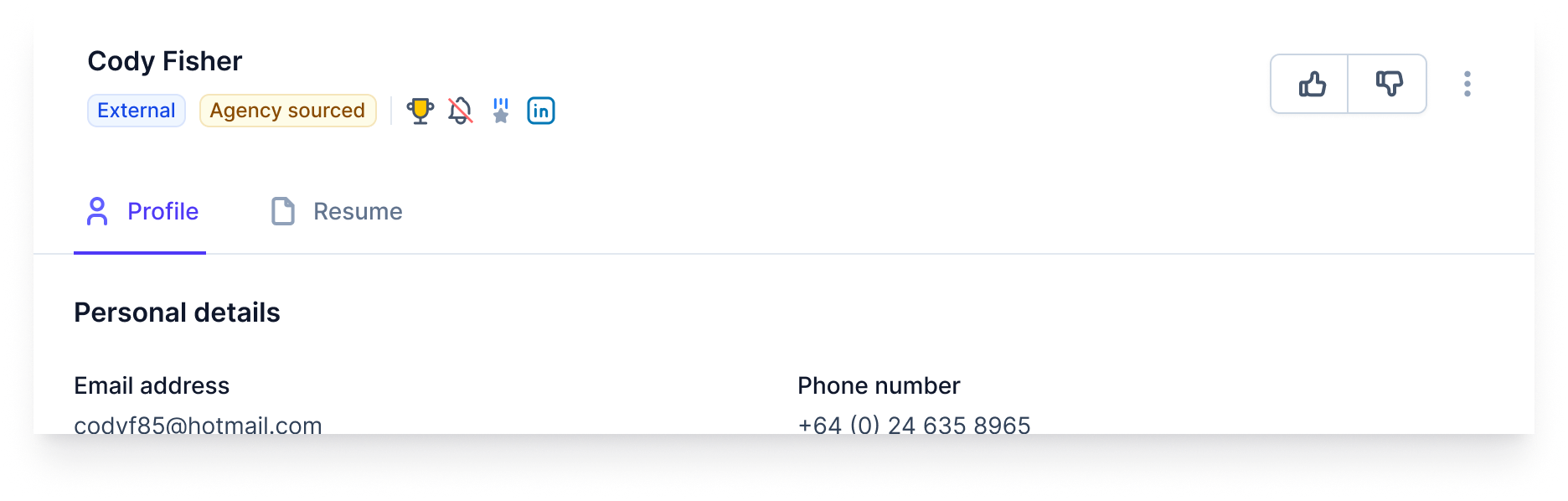
Added a new Quick Action feature that allows positive and negative actions (thumbs up / thumbs down buttons) to be configured for specific hiring stages. Quick actions are available from the Quick View drawer and can be configured via the Configuration Hub by users with the "Can manage quick actions" permission.
Learn more about how to enable Quick Actions on your site.
New permission for managing quick actions
Added a new recruiter permission, "Can manage quick actions", to the Configuration Hub.
Job actions now open in a drawer
Job-scoped actions raised from new v10 pages - such as the Jobs List - now open in a drawer, bringing them in line with how application-scoped actions already behave on the new hiring stage view.
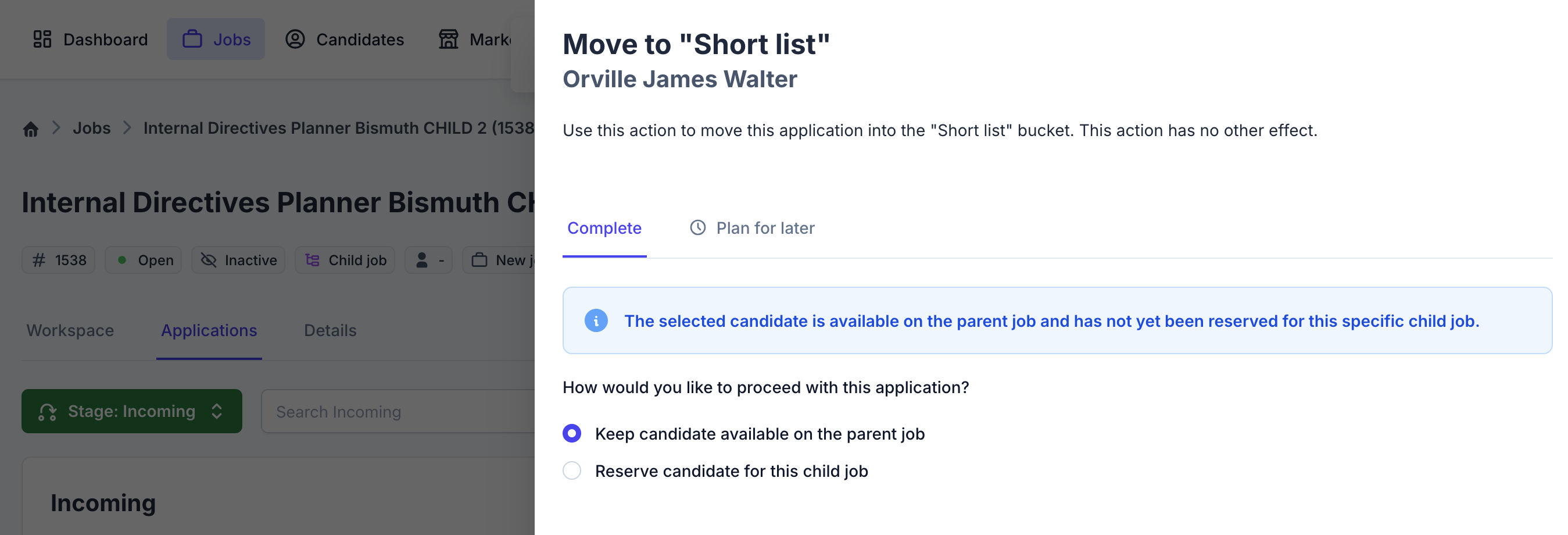
Improved pipeline child job move messaging
Updated the messaging shown when moving candidates on a pipeline child job to provide clearer guidance on the available options.
Enhanced additional document viewing experience
Improved the display of additional documents in the Quick View drawer. Documents now appear in a grid layout by default and open in a new tab within the drawer when "view" is selected.
History styling improvements
Updated the styling of the history component to improve readability and visual clarity.
Bug Fixes
Inactive workflows removed from v10 job filters
Fixed an issue where inactive workflows were appearing in the workflow filter list on the v10 Jobs List.